Every click, captioned
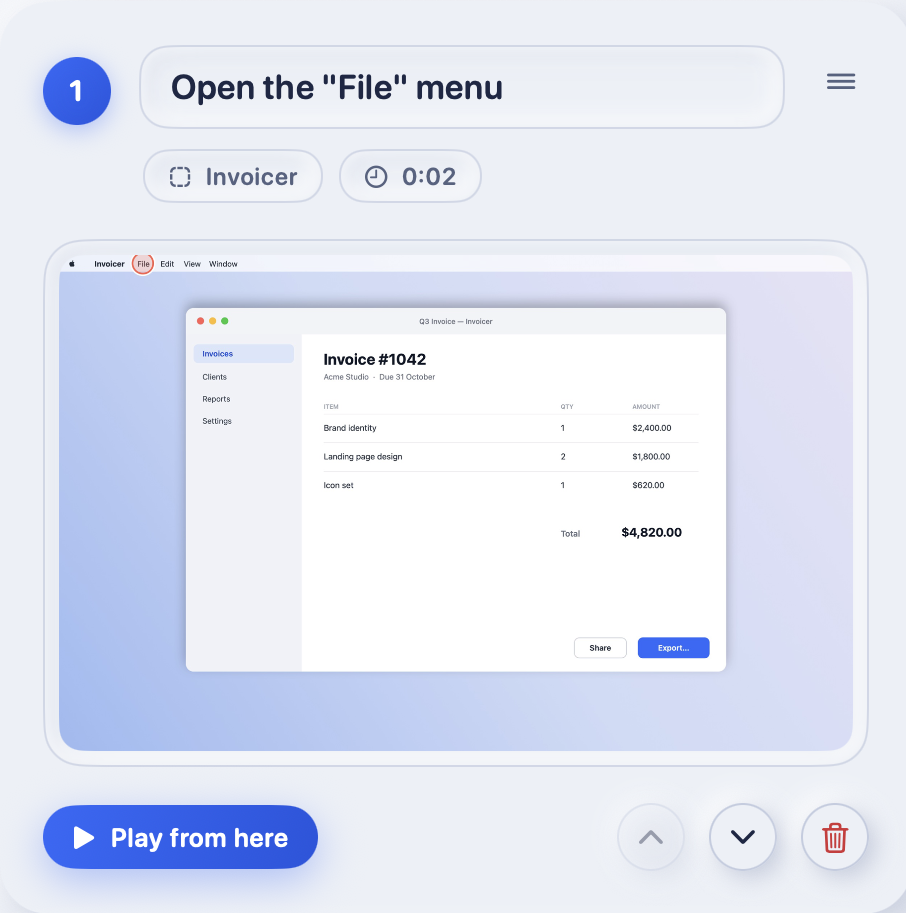
Stepwise reads the button or menu name through macOS Accessibility, so a step says Open the “File” menu
, not Click here
. Reword it if you like.
 Stepwise
Download
Stepwise
Download
For Mac. Requires macOS 15 or later.
Stepwise watches you do a task and writes it up. Every click becomes a captioned, screenshotted step. You keep the screen recording and export a PDF. All of it stays on your Mac.
Starts with a 14-day Pro trial, then Free or Pro. No account. Developer ID signed and notarized by Apple.
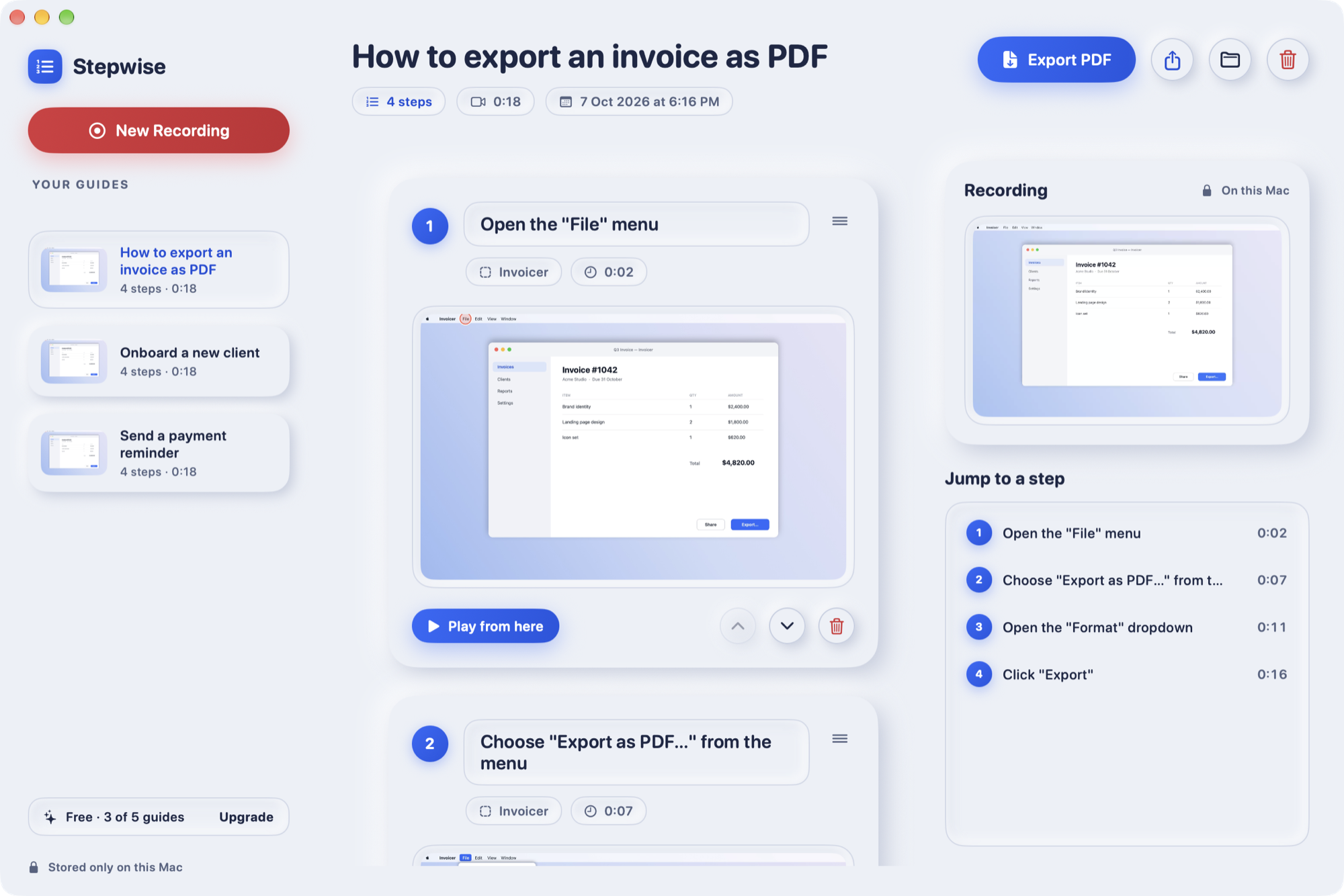
Click through the task once. Stepwise does the typing.
Stepwise reads the button or menu name through macOS Accessibility, so a step says Open the “File” menu
, not Click here
. Reword it if you like.
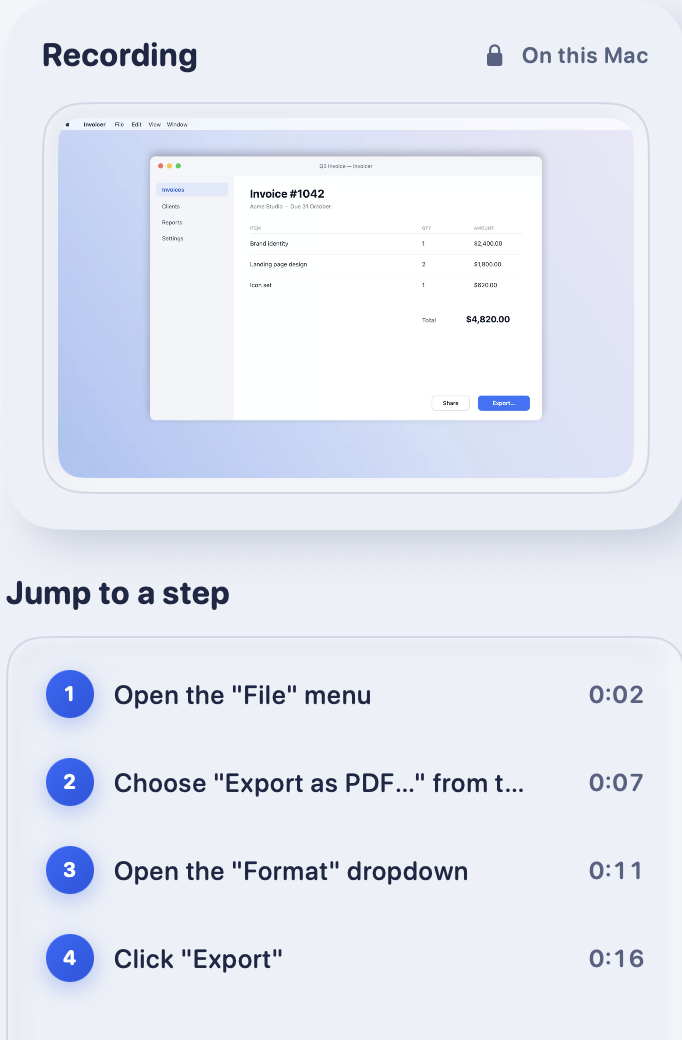
The screen recording is saved beside the guide. Press “Play from here” on any step, or jump to it from the list, to see the moment behind it.
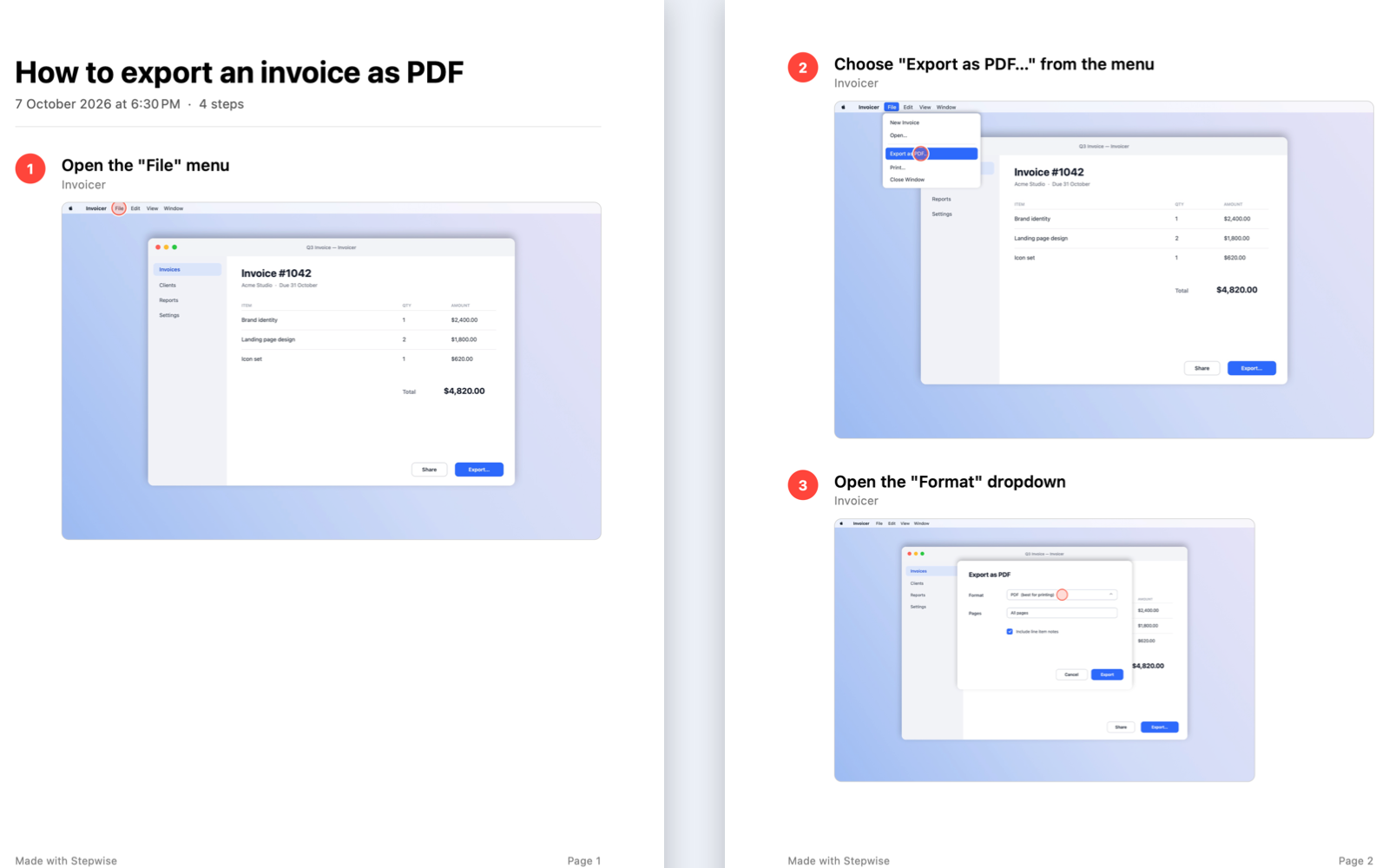
A paged, numbered guide with every screenshot, ready to attach. Free PDFs carry a small footer. Pro PDFs don’t.
No account, no upload, no analytics. Nothing you record ever touches the network. The app only checks for updates, and checks a license if you activate Pro.
One shortcut starts and stops.
Deleted a step? Bring it back.
Add Shift to share it instead.
Or use the arrows on each step.
Without Accessibility access, steps get a generic caption such as “Click in Pages”. With it, they name the thing you actually clicked. Either way you can edit every caption.
A screen recording captures whatever is on screen: email, customer records, a password typed in a hurry. So Stepwise does its work on the Mac in front of you.
For the video and the screenshot taken at each click. Stepwise only records while you are recording.
To read the names of buttons and menus so it can write the caption. Optional: without it, captions are generic.
Once a day it asks this website for a small file listing the latest version, and sends the app version, nothing else. You can turn that off in Settings. If you activate Pro, it also checks your key with our payment partner, Polar, sending the key and a random install ID.
Guides are ordinary files in a folder you can open. The recording captures everything visible on screen while it runs, notifications included, so review a guide before you share it. Stepwise holds no compliance certifications, and we don’t claim any.
Every install begins with a 14-day Pro trial. No card, no account.
$0
$69 a year or $9 a month
Subscriptions renew automatically until you cancel, and tax is added where required. 14-day refund, no questions asked. Checkout is hosted by our payment partner, so we never see your card.
Cloud tools upload what you capture so their servers can process it. Stepwise does all of its work on your Mac and uploads nothing. It also keeps the screen recording next to the screenshots, so you can jump to the moment behind any step.
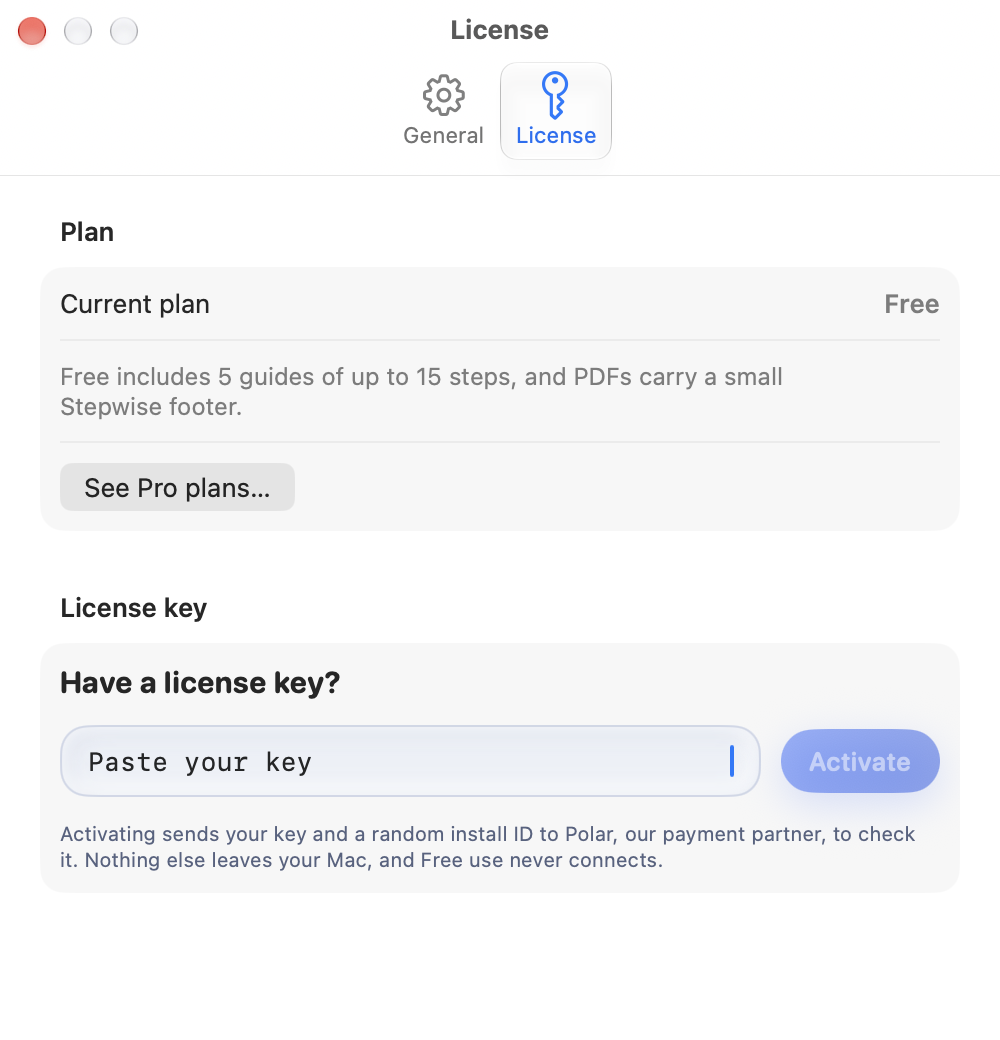
Buy Pro and you get a key by email. Paste it into Settings, License. Stepwise checks it with Polar, our payment partner, and re-checks it every few days while you are online. In between, it keeps working offline for up to 30 days.
Screen Recording is how any Mac app is allowed to see the screen: it produces the video and each screenshot. Accessibility lets Stepwise read the name of the button or menu you clicked so it can write the caption. Without it, steps get generic captions you can edit by hand.
In ~/Library/Application Support/Stepwise, one folder per guide, holding the video, the screenshots and a small JSON file. Settings has a button that opens it in Finder.
The app is signed with an Apple Developer ID and notarized by Apple, so it opens normally under Gatekeeper. The SHA-256 of the file is in the footer. Check it with shasum -a 256 Stepwise-0.1.0.dmg.
Nothing is deleted. Your guides and videos stay on your Mac. Pro features switch off and the Free limits apply to new guides.
Stepwise checks this website once a day for a newer version and, if there is one, offers to install it. Every update is signed with our key and the app refuses anything that isn’t, so only a build from us can replace it. You can switch the daily check off in Settings and use “Check for Updates…” from the Stepwise menu instead.
No. It records the screen only, and only while you are recording.